Trademark Monitoring Guide
How to monitor goods and services in trademark filings
A filing can matter even when its name does not look familiar. Goods and Services monitoring lets you look for the product language, services, and commercial categories that signal a company is moving into your space.
1. Choose language that describes your commercial space
Start with phrases a competing filing is likely to use: a distinctive product category, a technical service, or a feature customers associate with your business. Prefer specific phrases such as fleet battery management over broad terms such as software.
Useful starting points
Product categories, service descriptions, technical methods, and distinctive phrases from your own specifications.
Usually too broad
Single generic words that appear in thousands of unrelated specifications and bury useful results.
2. Create a Goods & Services monitor
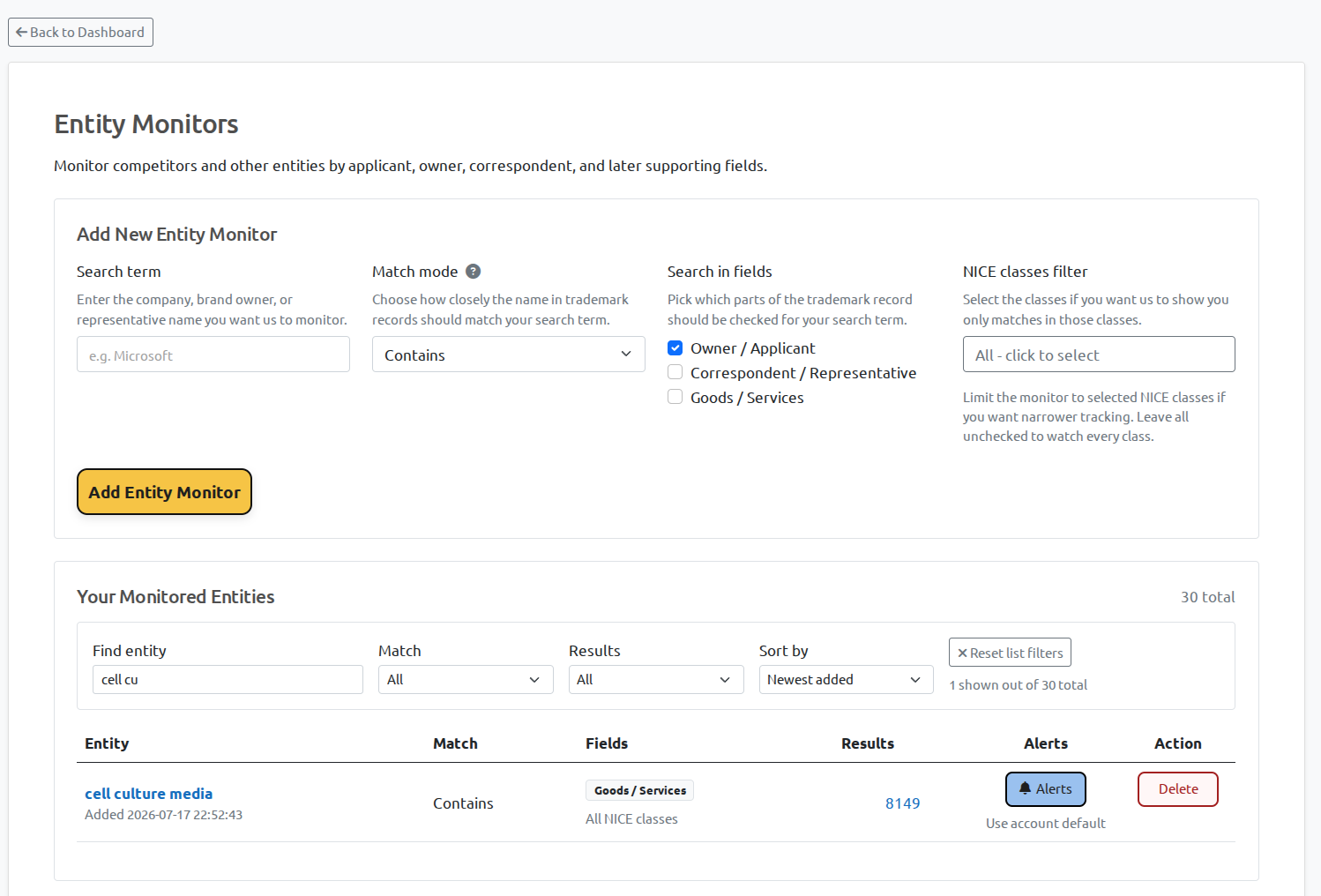
- Open Entity Monitoring and create a new monitored term.
- Enter the product or service phrase you want to follow.
- Enable Goods & Services matching rather than owner/applicant matching.
- Choose the trademark offices where a filing would matter to your business.
3. Use Nice classes to keep the queue relevant
Nice classes are the fastest way to turn an interesting broad term into a usable review queue. Limit the monitor to the classes connected to your actual products and services, then widen only if the results show that meaningful filings sit just outside them.
For example, a digital product business may start with classes 9 and 42, while a consumer-goods team may focus on its product class plus retail or advertising services where those filings are commercially important.
4. Review the filing text, not just the match
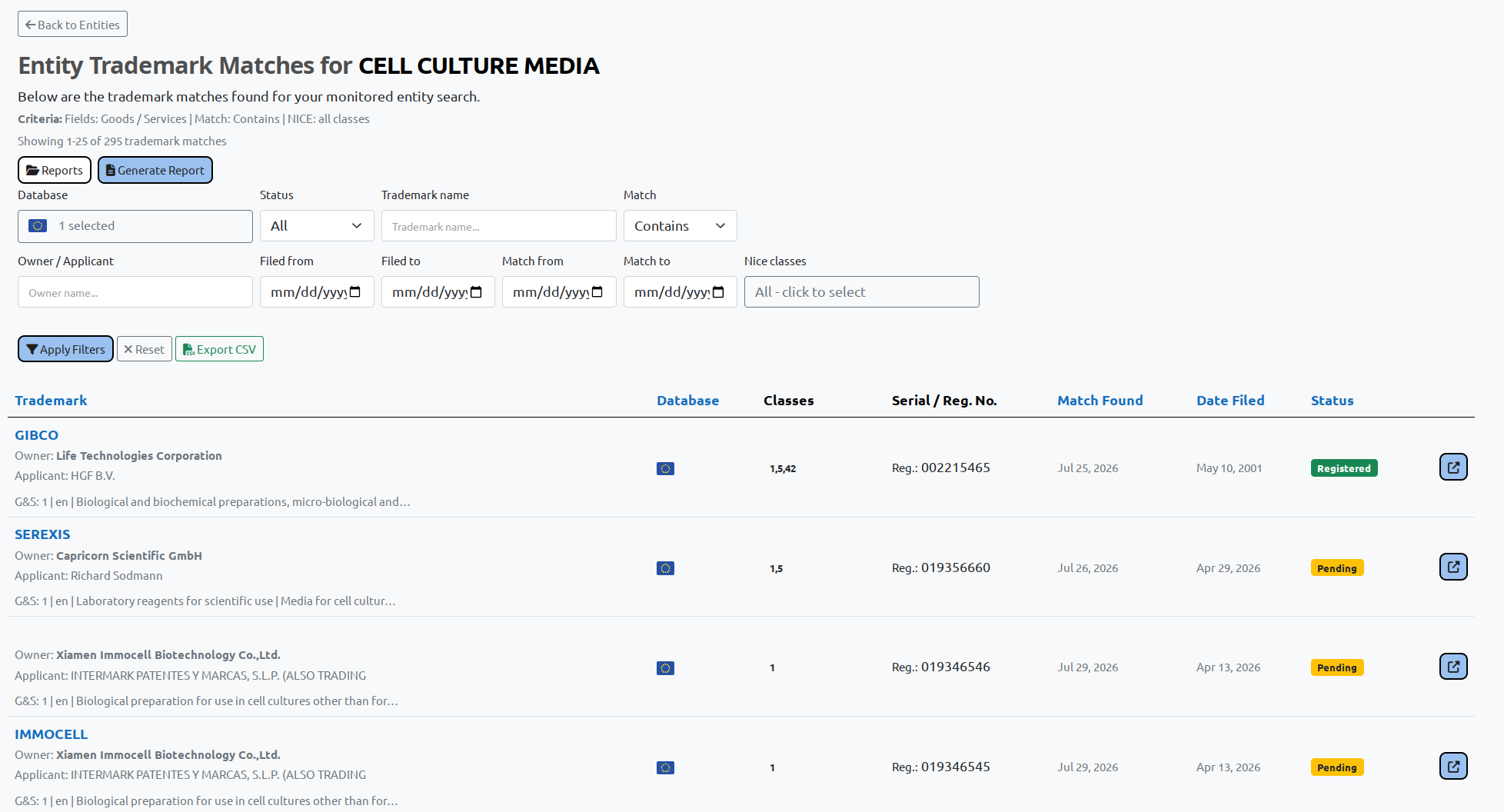
Open promising results and read the full Goods & Services specification alongside the mark, owner, status, and dates. BrandCat shows translated text where available so a foreign-language filing can enter the same review workflow, while preserving the source wording for verification.
Ready to follow your market, not just names?
Create a BrandCat account and turn the product and service language that matters to you into a focused filing-review queue.
Get started Explore Entity Monitoring