Trademark Monitoring Guide
How to monitor a competitor's trademark filings
Trademark filings can provide early signals about a competitor's possible new names, products, categories, or markets. Monitoring them gives your team a repeatable way to find those signals and decide what deserves review.
1. Choose the signal you actually need
"Monitor the competitor" sounds simple, but it usually means one of two different searches. Use both when the company matters and a small set of their core brands matters too.
Company activity
Watch the competitor as an owner or applicant. This is the broadest view of its new filings, including brands you do not know about yet.
Similar mark activity
Watch your own mark, a competitor's flagship brand, or a high-risk phrase to surface filings with similar wording or other relevant variations.
2. Create a competitor owner/applicant monitor
Start with the legal company name that appears on trademark records. For a group with subsidiaries, begin with the parent and add known operating subsidiaries separately when their filings use different owner names.
- Open Entity Monitoring and create a new monitored entity.
- Enter the competitor name, such as Example Consumer Products, Inc..
- Enable Owner / Applicant matching. Use representative/correspondent monitoring only when you deliberately want to watch a law firm or filing agent.
- Select the offices and Nice classes that matter to your business, then save the monitor.
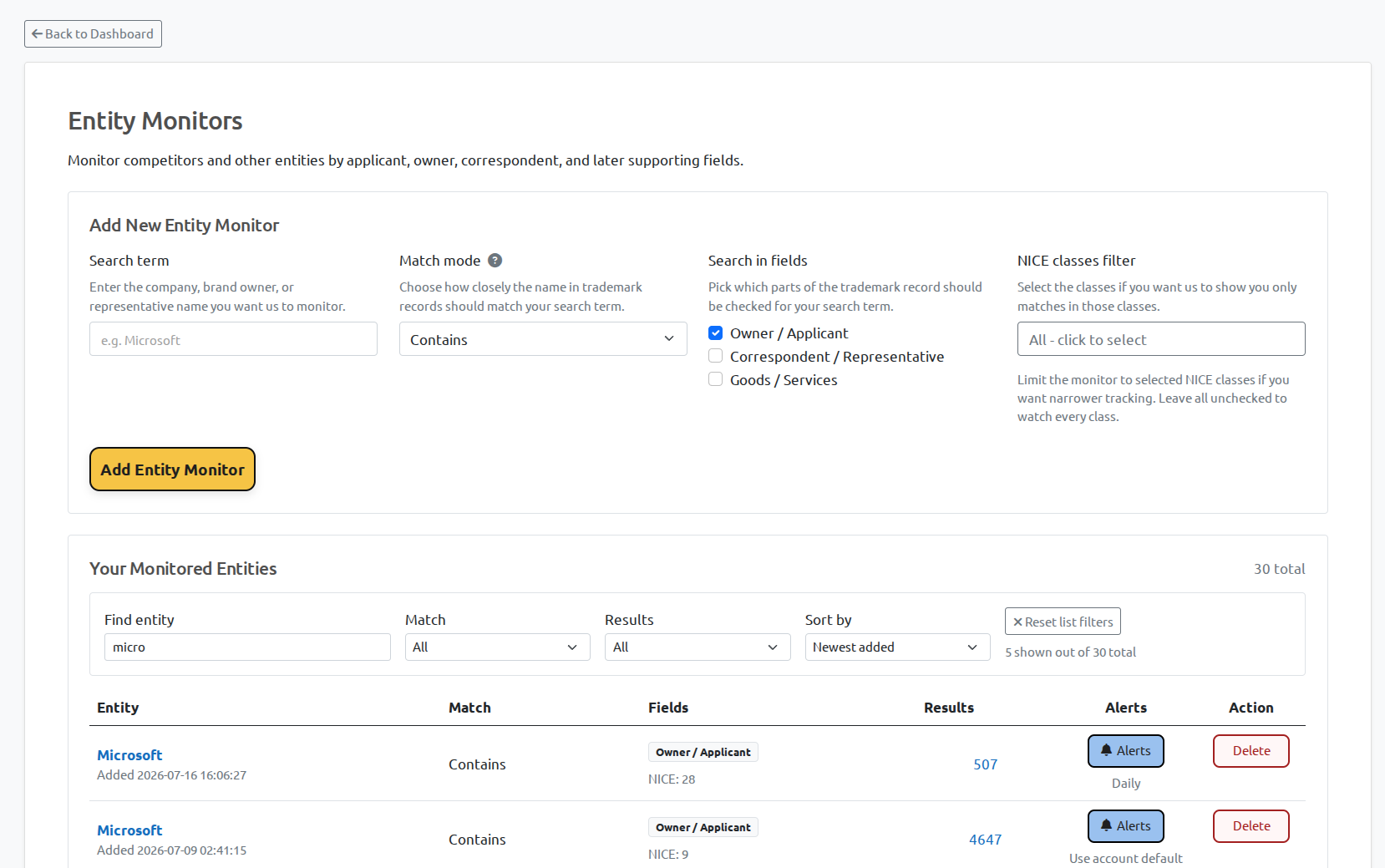
That monitor becomes a living filing queue. It is useful for competitive intelligence because it catches new names before you know which ones to search for manually.
3. Add watches for the marks worth protecting closely
An owner/applicant monitor tells you what a competitor files. A trademark watch answers a different question: what new filing looks too close to a specific name?
Create separate mark watches for your own house mark, core product names, and distinctive phrases. Start with an exact or contains match, then review whether broader phonetic or variation matching produces useful results for that particular term.
Do not put every common word into a broad watch. A high-volume generic term can create a noisy queue that hides the filings worth reading.
4. Narrow the monitor with Nice classes and offices
Nice classes make a broad watch operational. If your company sells software, a competitor's filings in classes 9 and 42 may matter far more than an unrelated filing in a distant category. Start with your commercially relevant classes and widen only when the result quality justifies it.
- Use office filters for the jurisdictions where you sell, license, or expect expansion.
- Use Nice-class filters to keep the review queue connected to your products and services.
- Use status filters to focus on pending or newly registered records when triaging current activity.
5. Review the filing, then decide who needs to see it
Open the underlying result before drawing a conclusion. Review the mark name, owner/applicant, status, filing date, Nice classes, goods and services, and any available representative or opposition information. A similar-looking name may still be commercially unrelated; a less obvious name may be important because of the owner or specification.
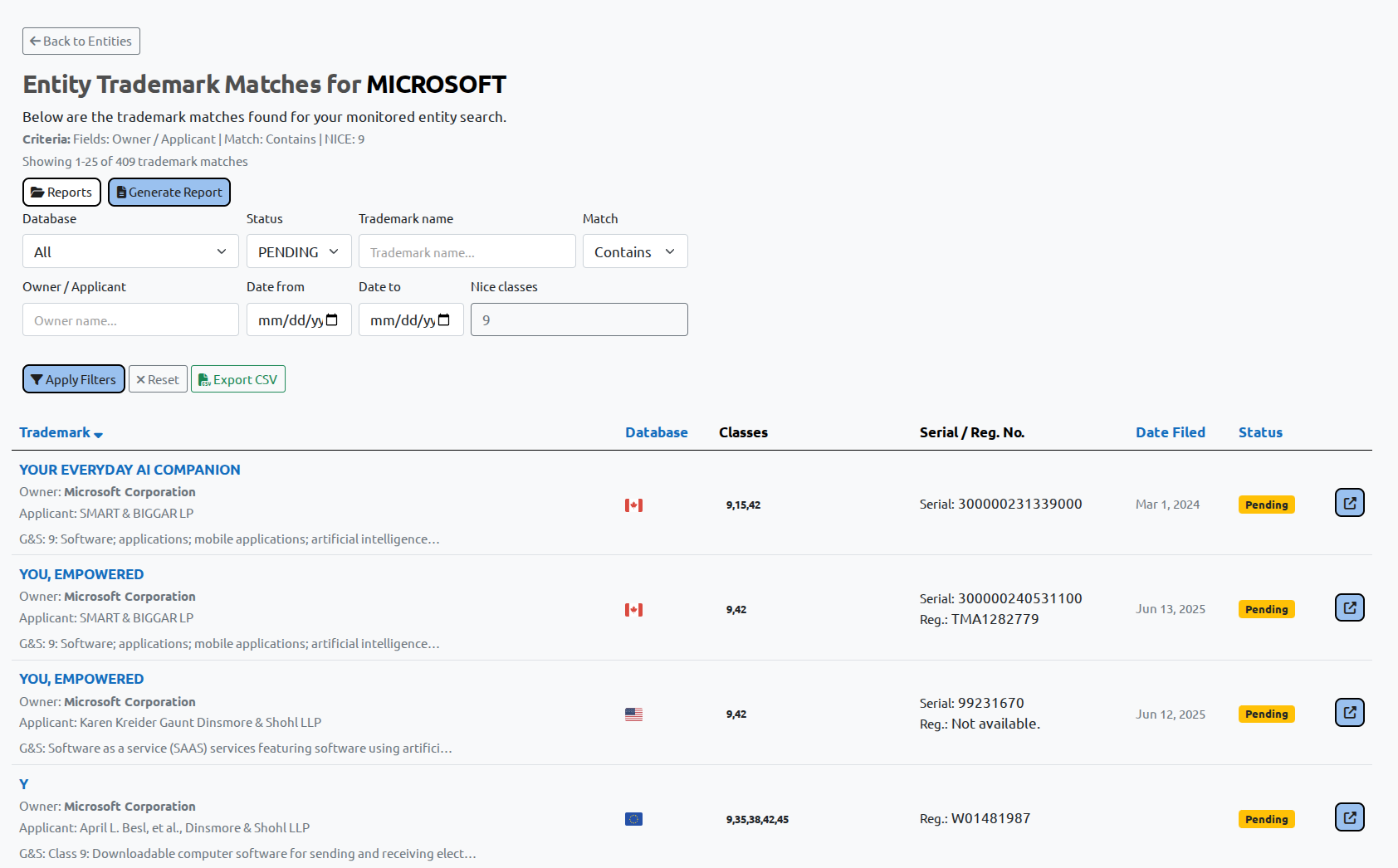
For records that deserve attention, save or generate a report and send the underlying filing details to the person who owns the commercial or legal decision. Build a short, evidence-backed review queue rather than an endless list of vaguely similar names.
Ready to build a competitor watchlist?
Set up a watchlist for the companies and marks that matter to your business, then keep the resulting filings in one review workflow.
Get started Explore Entity Monitoring Next: Goods & Services monitoring