Domain Monitoring Guide
How to monitor lookalike domains and brand impersonation
One of the first signs of online impersonation is a domain name that looks suspiciously similar to your brand. That's why Domain Monitoring was the first feature we built for BrandCat 😊
1. Choose the names attackers and copycats would use
Begin with your company name, house mark, major product names, and distinctive short names. Add legitimate domains you own as reference points, especially when the domain itself is closely tied to your brand.
Do not rely on just one spelling. BrandCat will generate a really big table of variations, but at the end of the day, it's still a program and probably far less creative than a (sneaky) human 🙂
BrandCat will try to catch both similar-sounding names and names that simply look similar, especially on a small screen, for example, microsoft.com vs rnicrosoft.com.
We will also look for alphabet-mixing tricks, where similar-looking letters from different alphabets are used. For example, the "с" in "miсrosoft" is actually a Cyrillic character. It looks almost identical to the Latin "c", but as far as a computer is concerned, they are two completely different characters.
So even though BrandCat tries to generate as many useful variations as possible, it's still worth adding a few variations of your own. You know your brand, your market, and the weird ways people tend to misspell or imitate your name better than any program does 🙂
2. Create a focused domain-matching watch
If this is your first time using BrandCat, you can simply start by adding a keyword and, optionally, your website. Website Monitoring checks for copies of your website content, not just similar domain names, and is covered in a separate tutorial here. If you only want to monitor names for now, you can leave the website field blank and add it later.
You can also choose the trademark scope. If you're not sure which classes apply to you, see our simple reference for all 45 NICE classes. The full tutorial on trademark watching is covered here. You can leave the scope broad and monitor all NICE classes, or narrow it down to the classes that matter to your business.
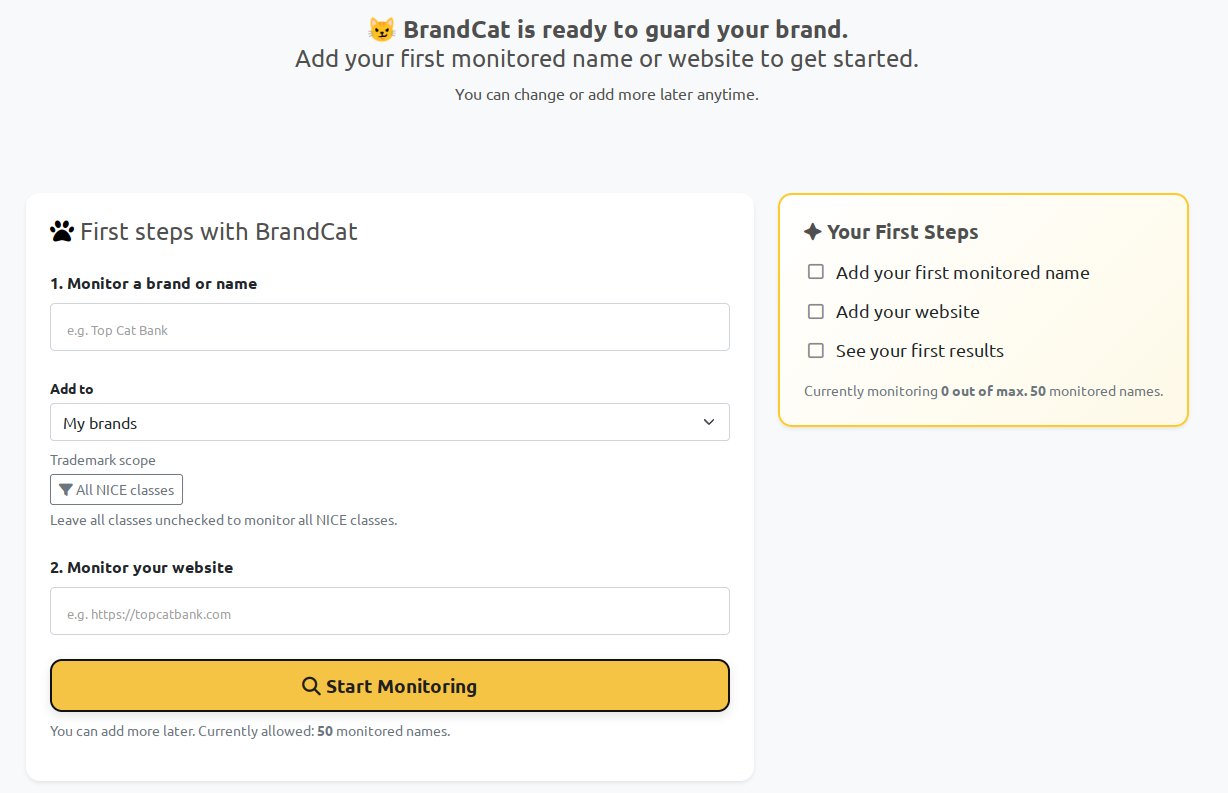
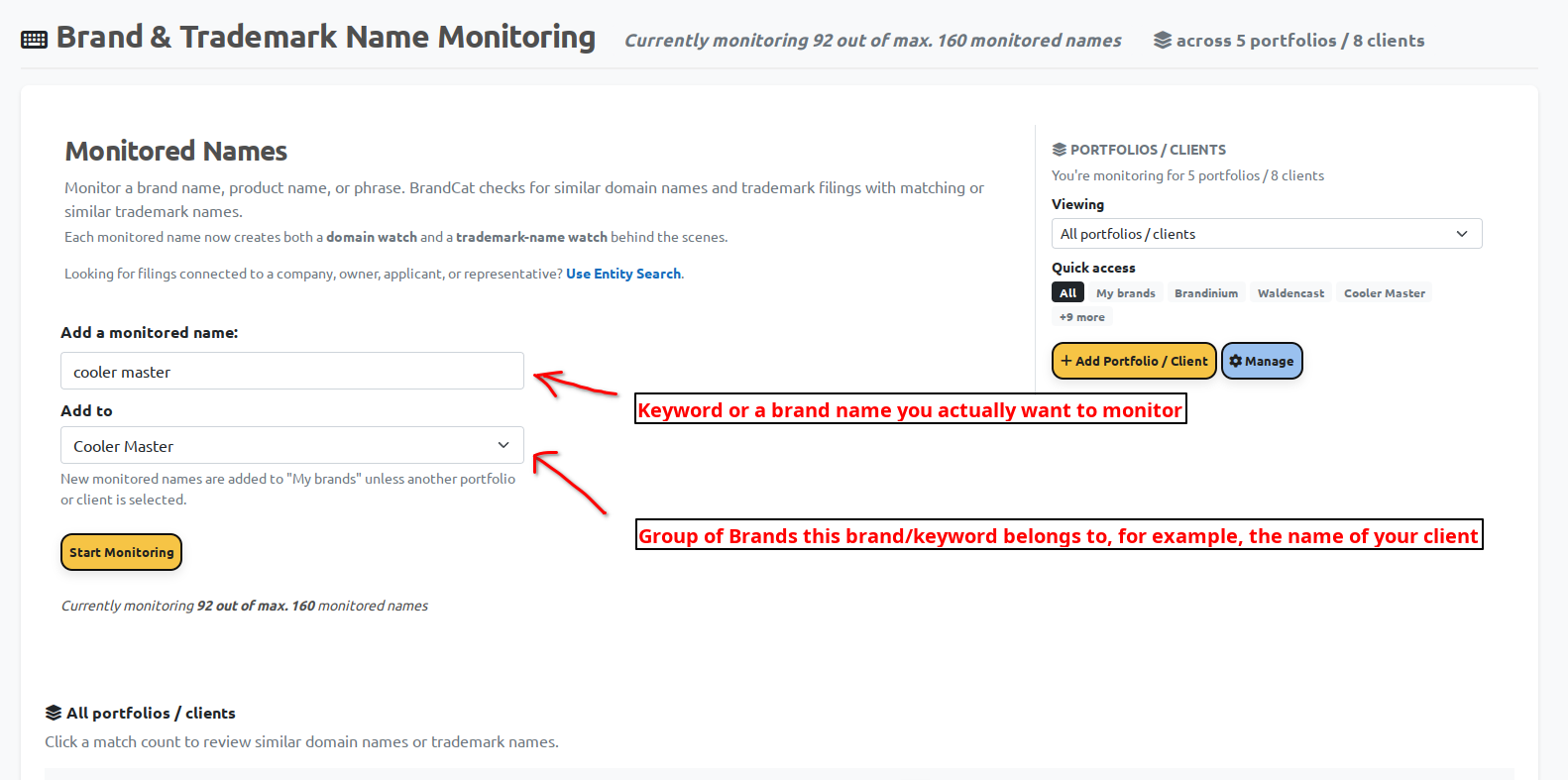
Well, this is how it looks after the first time 🙂 Once you've added your first monitored name, you can add more from the main dashboard. The monitored name is the keyword or brand name you want to track, while the portfolio/client dropdown helps you keep things organized — for example, by client, product family, or brand group.
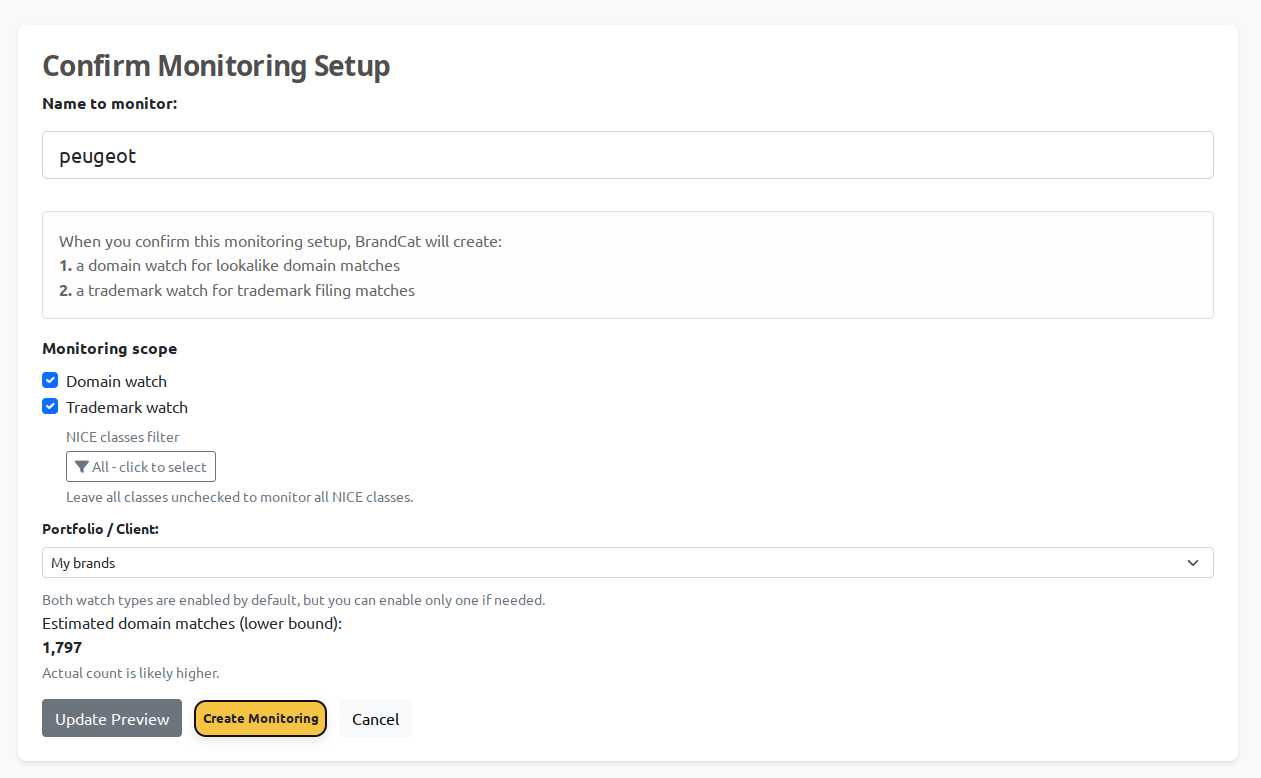
Before BrandCat creates the watches, you'll get one last confirmation screen. By default, both the domain watch and trademark watch are enabled, although you can turn either one off if you don't need it. You can also change the NICE class filter or portfolio/client before you create the monitoring setup.
This is also where BrandCat tries to save you from drowning in noise. Some names are simply very common, and a keyword like prima, for example, can match tens of thousands of domains. BrandCat won't stop you from monitoring it, but it will warn you when a name is likely to produce a huge number of results.
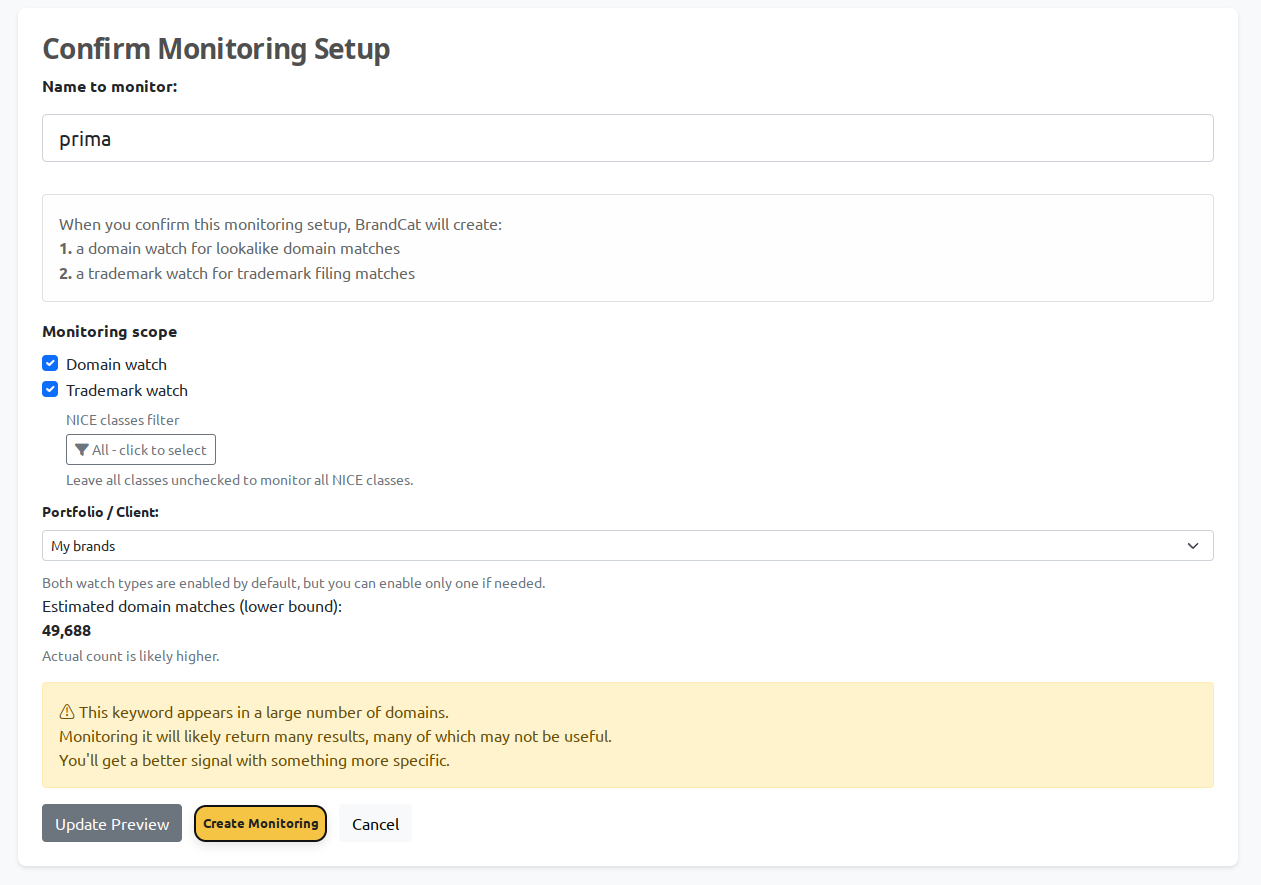
In other words: BrandCat won't stop you, but it will gently suggest that maybe drugs are bad for you 😁 In most cases, a more distinctive keyword gives you a much better signal and far fewer junk matches.
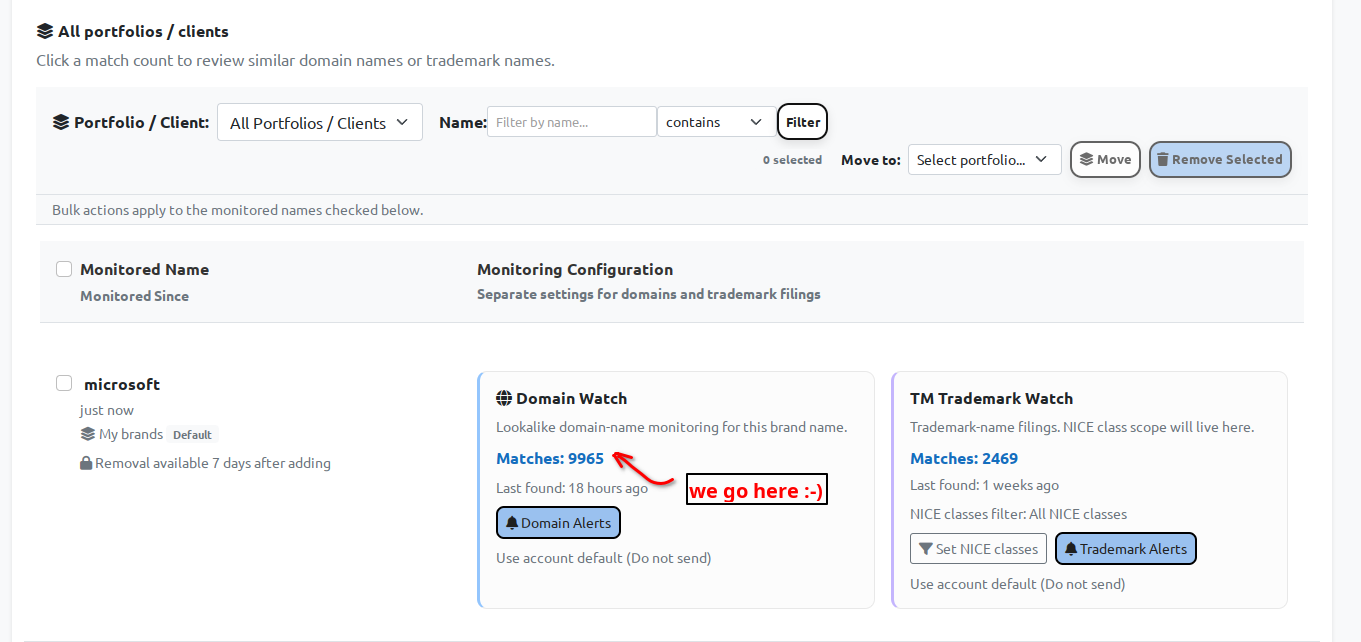
Once the monitoring setup has been created, BrandCat will show you both sides of it: the Domain Watch and the TM Trademark Watch. Since this guide is about domain monitoring, the next step is to click the match count inside the Domain Watch box.
3. Review the evidence behind each domain
After clicking into the Domain Watch, you'll see the actual list of matching domains. This page gives you both the results themselves and the tools to narrow them down.
At the top, you can filter by domain name, extension, website status, preview availability, final URL/domain, resolved IP, and registration age. This is useful when a monitored name produces a lot of results and you want to focus on the ones that are most likely to matter.
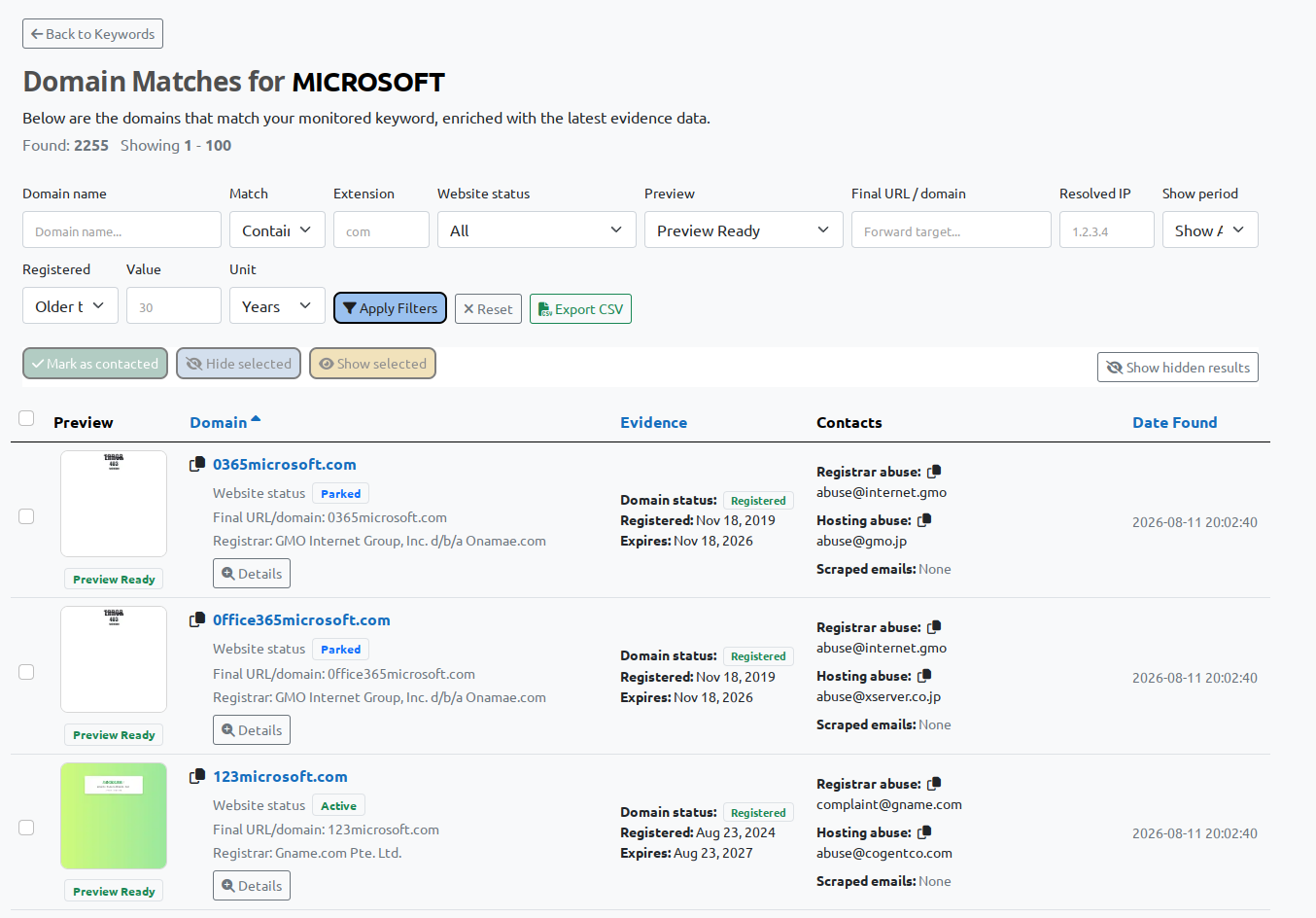
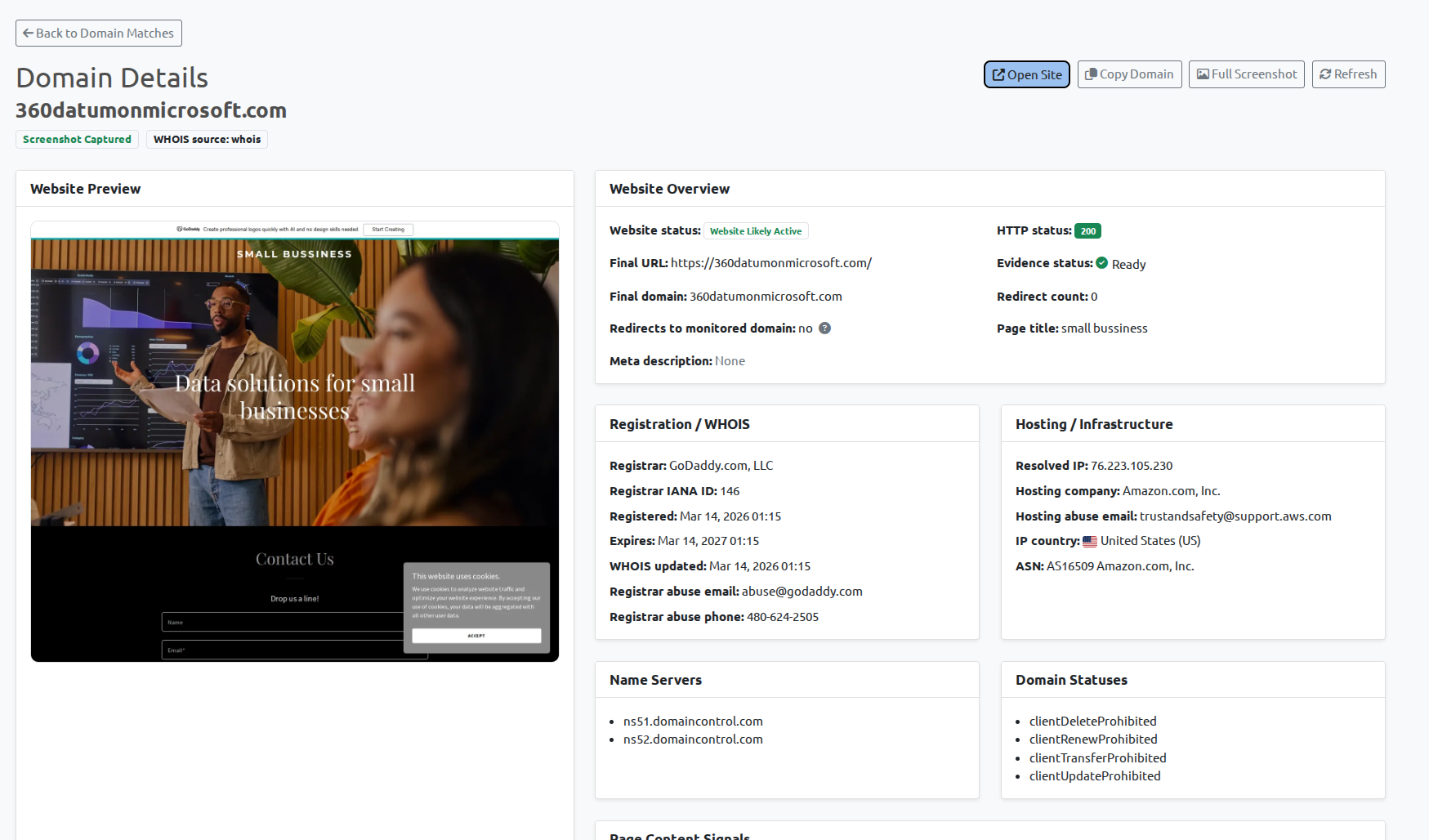
Each row gives you a quick overview of the result: the matched domain, website status, final URL/domain, registrar, registration and expiry dates, abuse contacts, and the date the match was found. Where available, BrandCat also shows a small preview so you can quickly spot parked pages, unrelated sites, or something more suspicious.
A parked domain, an unrelated business, and a cloned login page should obviously not receive the same priority. The goal is not to panic at every match, but to quickly identify the ones that are actually worth your attention.
4. Prioritize and route the right cases
Give the highest priority to domains that impersonate your brand while collecting credentials, copying your content, sending traffic to a deceptive destination, or creating real customer confusion. Save the evidence, generate a report where useful, and send it to the security or legal owner who can decide the next step.
Ready to see suspicious domains earlier?
Start with your most recognizable brand and product names, then build a repeatable evidence-based review queue.
Get started Explore Domain Matching